- by foxnews
- 14 Jun 2026
12 biggest Apple WWDC 2026 takeaways you need to know
Apple's WWDC 2026 unveiled Siri AI rebuilt with Google collaboration, iOS 27 for iPhone 11, faster apps and smarter parental controls across devices.
- by foxnews
- 14 Jun 2026
- in technology
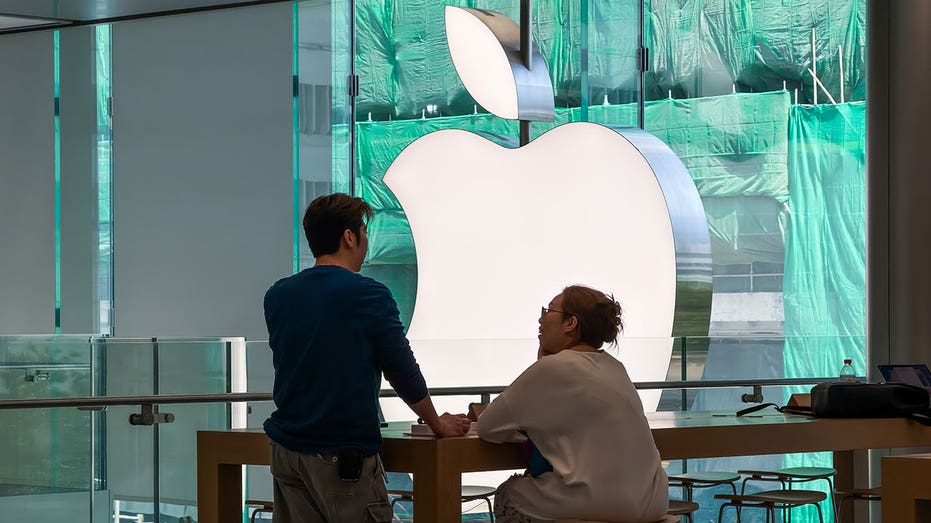
The updates range from big changes, like Siri AI, to smaller fixes that could still make a difference. You may notice them when your phone finds a photo faster, shares a file quicker or helps clean up a weak password.
Here are the 12 biggest takeaways from Apple's WWDC 2026 keynote.
The new Siri still works in familiar ways, including "Hey Siri." Apple also showed a dedicated Siri app where you can return to past conversations. That means a longer answer or planning session does not disappear after one interaction.
Siri can also sound a lot more expressive. Apple says you can customize Siri's voice by adjusting its pace and expressivity until it feels right for you.
During the keynote, Apple showed Siri answering a question about a local concert. From there, Siri helped with tickets, created a reminder for the lottery opening and played a song from the artist.
Apple also showed Siri using what was already on the screen. In one demo, Siri identified a location along the Santa Cruz coast from an image. Then it found a friend's address from Messages and helped create a route with a stop along the way.
In another example, Siri searched Photos for images from a recent trip. It narrowed the results to specific family members and added those photos to a shared family album.
On Mac, Apple showed Siri working inside Spotlight and context menus. Siri compared selected files, turned the information into a table and used details from Messages and Mail to help draft an email.
One of the most surprising moments came when Apple said it worked with Google on the next generation of Apple Foundation models.
Apple is still presenting the experience as Apple Intelligence. Still, the Google connection is important. It shows Apple is willing to lean on outside AI technology to make its own system stronger.
Apple says the new models bring better reasoning, image understanding, speech support and image generation.
Apple also said it brought an improved CPU scheduler to older iPhones going back to iPhone 11. That system helps your phone manage processing power as you move between tasks.
In everyday terms, Apple says older iPhones should feel more responsive. That could help when you switch apps, search for photos or use several features at once.
Waiting for an app to open is annoying. So is taking a photo, then waiting for it to appear. Faster AirDrop could also make file sharing feel less clunky.
Apple also said it improved network transitions. Your iPhone should be smarter about moving between Wi-Fi and cellular. That could help in places where your phone clings to a weak Wi-Fi network, even though cellular would work better.
Apple is also adding a new slider in Settings. You can adjust Liquid Glass from ultra clear to fully tinted. That gives you more control. Some of you may like the transparent look. Others may want a stronger tint so buttons and text stand out.
On Mac, Apple is also bringing back more structure. Toolbars look more uniform. Sidebars stretch to the edge of app windows. Sidebar icons regain color. Windows also have a more consistent shape. The message is clear. Apple still likes the look of Liquid Glass, but it knows readability matters.
This year, Apple is adding a more guided setup process. Parents can decide which apps a child can use right away, then add more as the child is ready. In other words, a child may need Messages or school apps before they are ready for broader web access.
Apple also expanded Ask to Buy. Parents can now review app requests in Messages. A new Ask to Browse feature lets kids request permission before visiting a new website in Safari. Ask to Browse and Ask to Buy are both on by default for kids under 13. Parents can also turn them on for teens.
Screen Time is getting a new look and more flexible controls. Apple says parents will see a clearer view of how kids use their devices. They can also adjust access faster.
A new Time Allowances feature gives parents suggested limits for app categories such as Entertainment, Games and Social Media. Apple says those recommendations are based on a child's age and developed with clinical and child development experts, including the American Academy of Pediatrics. Parents can still adjust the limits themselves.
Apple also added schedules. That means parents can decide which apps are available during different parts of the day. For example, a parent could allow learning apps during school hours and entertainment apps later. Weekend settings can also be different from weekday settings. That is all very important because families do not all handle screen time the same way.
Safari is getting Apple Intelligence features that could help with one of the most common browsing problems: too many tabs. Safari can now organize open tabs into topics. If you are researching a vacation, comparing products or planning a project, Safari can group related pages together. It can also add new related tabs to a topic as you keep browsing. That could help anyone who leaves tabs open because they are afraid of losing something important.
Safari is also adding Notify Me. You can ask Safari to watch a page for a change, then close the tab. Apple gave examples, like waiting for camp signups or a product to come back in stock. When Safari detects the update, it sends you a notification. That may sound small. For tab hoarders, it could be a big relief.
That is the part that may get more people to act. Most of us know we should clean up old passwords. The hassle is getting it done. You have to visit the site, sign in, hunt for the account settings and create a better password.
Apple says Passwords can use Safari to handle supported password changes for you. That could make it much easier to fix risky accounts before they become a problem. Just do not treat it like a set-it-and-forget-it tool. After changing a password, make sure it is saved correctly and know where to find it later.
Apple showed examples like getting nutritional insights from food and helping split a restaurant bill with Apple Cash.
On Mac, Visual Intelligence works through a keyboard shortcut. You can select something on your display, then ask Siri about it.
On iPad, Visual Intelligence connects with screenshots. On Vision Pro, Apple showed Siri answering questions about objects someone was looking at.
This could make Apple Intelligence feel more useful because it connects to what is in front of you. It is not limited to typing a question into a chat window.
In Messages, Apple says it can understand the context of a conversation and offer one-tap suggestions. For example, it could help create a reminder or note from a message. If someone asks for photos, Messages can help find the right shots by recognizing keywords, locations and people in your library. Mail is getting more capable suggestions, too. Apple says those suggestions will be based on the email you are reading and can help you take action with your favorite apps, including third-party apps.
Calendar is also getting a more natural way to add events. You can type what you want in plain language, and Calendar can fill in details as you go. Apple showed it identifying a contact, adding a location and creating a title. It can also adjust a recurring event when you describe the change. The Phone app may get one of the more useful upgrades. With Call Context, your iPhone can surface helpful details when you call a business. Apple gave the example of calling an airline and having your confirmation code appear from Mail when the call starts. Apple says the feature looks at who you are calling, not what you are saying, and runs entirely on your device.
The Home app is getting smarter about notifications and cameras. Apple says it can understand related accessory alerts as one activity, so you get one notification that keeps updating. For compatible cameras, the Home app can also summarize recorded clips, pull up related footage and let you search by what was captured. Shortcuts may become less intimidating, too. Instead of building an automation step by step, you can describe what you want. Apple showed an example where Shortcuts could message a partner with an ETA when someone leaves work. That is the bigger point here. Apple Intelligence is not only about Siri answering questions. Apple wants it to handle small tasks that usually require digging, tapping or searching inside the apps people already use.
Apple also announced several visual creation features. Image Playground is getting a major upgrade with more powerful image models. Apple says it can create higher-quality images in many styles, including photorealistic images. It can also use people from your Photos library, create images in different dimensions and help make Messages backgrounds, contact posters and Lock Screen wallpapers.
Apple also said you can refine images by describing changes. You can touch part of an image, then move it, resize it or add details. Photos is getting its own AI tools. Apple said Clean Up is improving. It also announced Extend, which can expand a photo beyond its original frame. Another feature, Spatial Reframing, lets you adjust the framing of a photo after you take it.
That could be very useful when a photo is close to perfect, but the edges feel off. These features show where Apple is headed. Your photo library is becoming more editable and easier to search with help from Apple Intelligence.
Some Apple Intelligence features will also have daily usage limits. That includes image generation and other features that rely on Apple's server-based models. Apple says people with most iCloud+ subscription plans will get increased access. While some features may depend on region, language, device support and usage limits.
Apple also announced several smaller updates that may be useful.
These may not be the headline features. Still, they could end up being the updates some of you use most.
Apple is trying to make AI feel like part of your device instead of another app you need to open. That means Siri could search your photos, understand messages, draft emails, compare files, summarize camera clips and help you act inside apps. Safari could organize tabs. Passwords could fix weak accounts. Calendar could understand a normal sentence. Shortcuts could become easier for people who never wanted to build automations. That sounds convenient. It also requires trust.
Apple's WWDC 2026 keynote felt like a reset for Siri and Apple Intelligence. Apple is trying to turn Siri into a more useful assistant that can understand what is on your screen and help inside the apps you already use. I also like that Apple focused on everyday frustrations, from faster apps and better AirDrop to smarter search, stronger passwords and improved parental controls. Still, Siri AI has to prove itself outside a keynote demo. Some features will have limits, and some regions will have delays. To me, Apple is finally saying it is serious about AI. Now it has to prove it on the devices people already own.
Would you trust Siri AI to search your messages, photos, files and apps to get things done for you, or does that feel like too much access? Let us know by writing to us at Cyberguy.com
Sign up for my FREE CyberGuy Report
Copyright 2026 CyberGuy.com. All rights reserved.
you may also like


- by foxnews
- 14 Jun 2026
Dark web monitoring: does it put your data at risk?

- by foxnews
- 14 Jun 2026
Are humanoid robots now coming for retail jobs?




travel
- by foxnews
- descember 09, 2016
Visitors face immediate fines for making one big mistake in crowded destination
Shibuya, the home of Tokyo's famous crossing, has begun issuing immediate fines for littering as officials work to manage overtourism in the popular Japanese district.
read more